



- What is a stop loss
- Why use a stop loss order
- How stop loss works
- How to set Stop Loss in MetaTrader 4
- Technical rules for placing stop loss orders
- How to calculate stop loss size correctly
- What is breakeven and how to use it
- What is trailing stop loss
Stop Loss — Definition
Stop loss (Stop Loss) is a type of stop order placed by a trader to limit potential losses when the market moves against an open position.

Why Use a Stop Loss Order?
A stop loss order is an essential part of money management rules on Forex. It closes a losing position at a pre-planned loss level if price reverses, allowing traders to control trading risks.
On modern volatile markets, trading without a stop loss is unthinkable. When traders claim they never use stop losses, professionals know account ruin is inevitable. Unprotected positions eventually hit major drawdowns or spikes against the trade, wiping out even large deposits.
Trading without stop losses is common among amateurs. Professionals prioritize preserving capital above all else.
How Does Stop Loss Work?
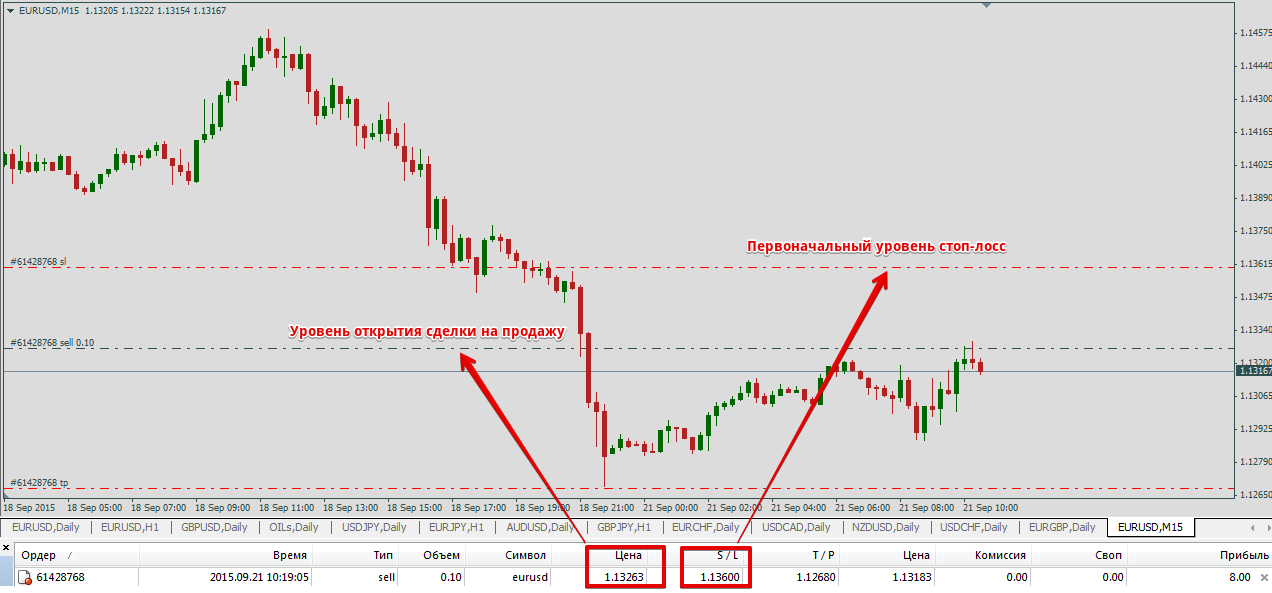
Stop loss automatically closes a position when price hits the set level. The order is stored on the broker’s server, so the terminal does not need to stay open.
Stop loss can close the full position volume or just one lot. The opposite order for locking in profits is Take Profit.
Stop loss works with any order type, including pending orders.
How to Set Stop Loss in MetaTrader 4
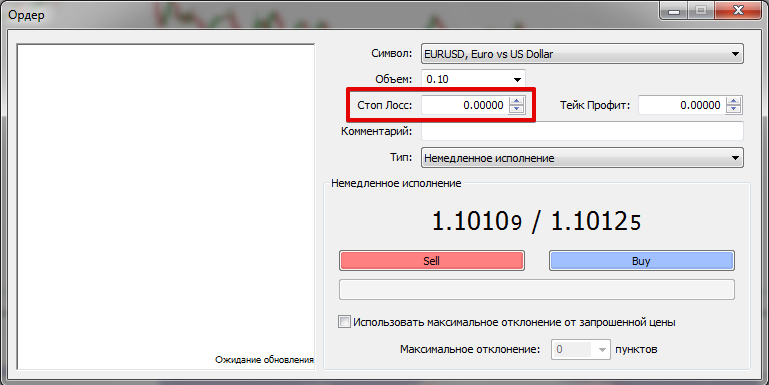
To set stop loss in MetaTrader 4 when opening a position, enter the trigger price in the Order panel.
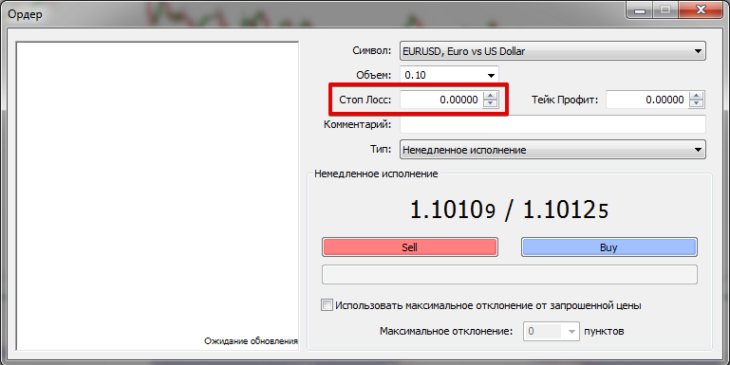
For open trades, modify the stop loss value via the “Modify/Delete Order” tab.
Place stop loss below the entry for buy trades and above for sell trades.
Technical Rules for Stop Loss Placement
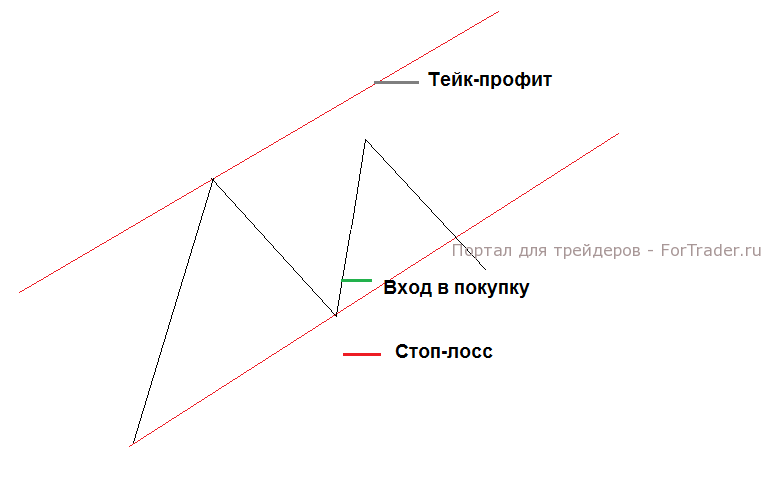
Technically, place stop loss beyond strong support or resistance levels. In trend trading, use trendlines; in range trading, use range boundaries.
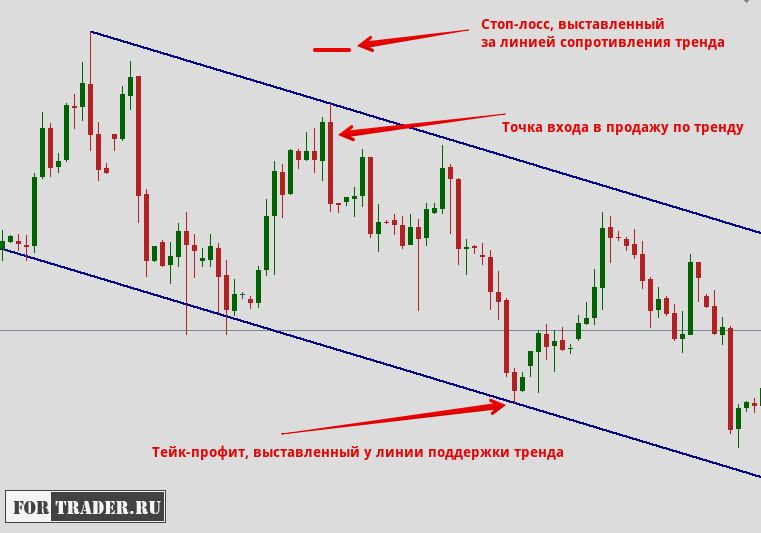
The logic is simple: price rarely breaks strong levels on first touch and often bounces. Place stop loss just beyond, typically at the prior high or low. A break signals the trade thesis is invalid.
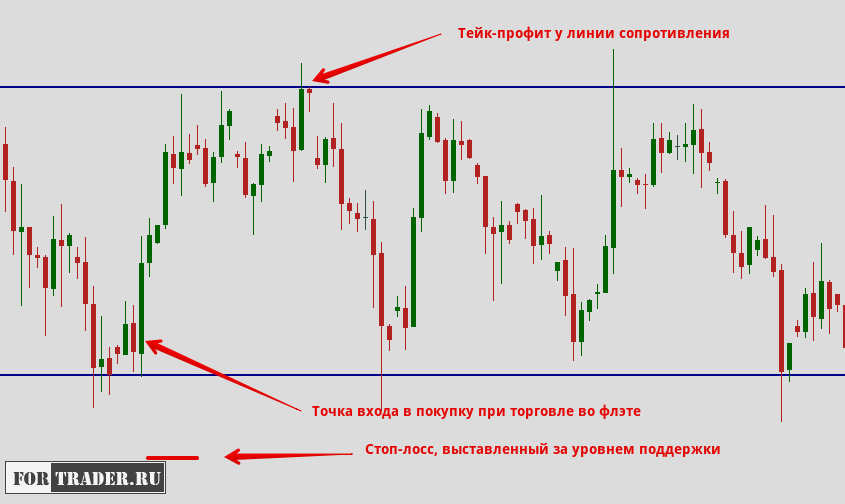
This principle applies to all trading styles. Identify levels manually (prior swing highs/lows) or with level indicators.
Key points for stop loss placement:
- Many traders cluster stops beyond key levels. Higher timeframes mean stronger levels and higher chance of stop hunts.
- Avoid round numbers like 1.1000 or 1.07500, as they psychologically attract traders.
How to Calculate Stop Loss Size
After technical placement, apply money management rules. Stop loss size reflects the dollar amount risked per trade. Risk 2-5% of deposit ideally, never 100%.
Example: $5000 deposit, 5% risk max = $250 loss limit.
If stop is 50 pips from entry, pip value = $250 / 50 = $5. For 1 standard lot ($10/pip), trade 0.5 lots.
This optimal approach ignores greed. Many overleverage, like 1 lot on $1000, ignoring risk rules.
Account for spread. EUR/USD long: stop 1.1150, take 1.1230, 2-pip spread means stop triggers at 1.1152, take at 1.1232. Floating spreads widen during news.
For detailed calculation, watch trader Alexander Gerchik’s webinar:
What Is Breakeven and How to Use It?
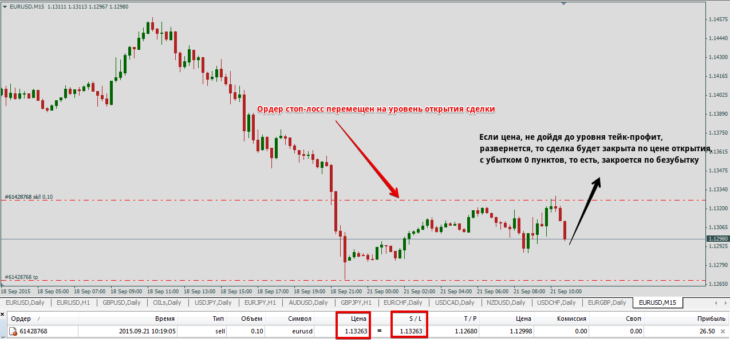
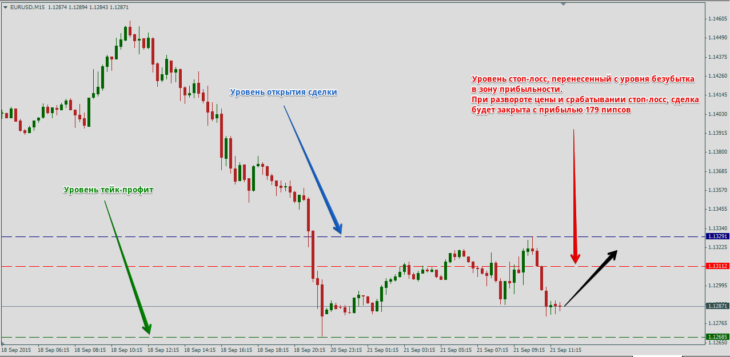
Breakeven (breakeven level, BE) moves stop loss to the entry price after price moves favorably by a set amount of pips.
How to Move a Trade to Breakeven?
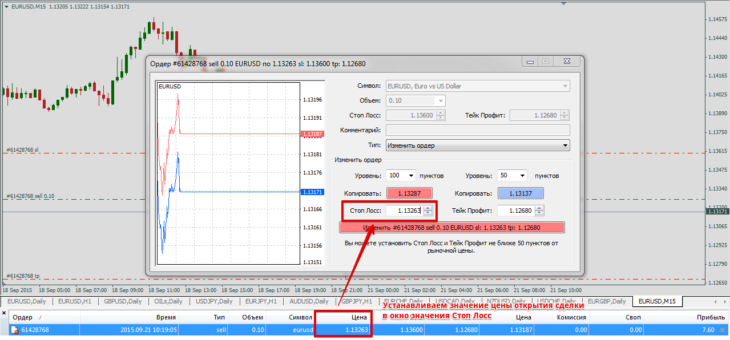
Set initial stop loss to limit risk. If price moves favorably, shift stop loss to entry price to eliminate loss risk on reversal.
FAQ
What is a stop loss order?
A stop loss order is a type of stop order placed by a trader to limit potential losses when the market moves against an open position by automatically closing it at a pre-planned level.
Why use a stop loss order?
Stop loss orders are essential for money management in Forex, controlling trading risks, preserving capital, and preventing major drawdowns in volatile markets.
How to calculate stop loss size?
Calculate stop loss size by risking 2-5% of your deposit per trade; for a $5000 deposit at 5% risk ($250), divide by pips from entry to determine lot size, accounting for pip value and spread.